Skip to content

EDW Upgrade to SQL Server 2019 Complete

The EDW successfully upgraded our user-facing servers (EDWPub.s.uw.edu) to SQL Server 2019. 

We believe you will experience minimal impact, however, if you do experience any issues, please reference our IT Connect article titled, “Preview available for upcoming EDW server upgrade” which contains a list of known issues.

Reporting issues
If you experience any issues you are not able to resolve, please write help@uw.edu and put “EDWPub Server Upgrade” in the subject line.

Explore the Canvas course template

UW-IT and UW Learning Technologies developed a basic course template to help instructors quickly create courses that are easy for students to navigate. The template, which organizes course content within modules, is designed to accommodate a range of disciplines and teaching approaches. The design of the template was guided by two priorities: 1) to ease and simplify course creation, 2) to help students find the information they need. Our goal is for the template to empower instructors: to help them confident that they are creating a course that students will find easy to use.

Resources for Teaching Remotely

Explore resources for teaching remotely: UW information hubs from Bothell, Seattle, and Tacoma, including the Roadmap to Effective Online Teaching. Also included are Canvas course templates, Canvas model courses, a Canvas course readiness checklist and guides for teaching with UW technologies. Get support for remote teaching from video resources and workshops and webinars. Review the resources now.

UW Course Readiness Checklist for Online Instruction

Check out the course readiness checklist when setting up a Canvas course for remote instruction. From setting up your Canvas site, adding course content to modules, customizing navigation, creating assignments and quizzes, setting up grading, helping students get started, making content accessible to all learners, and establishing your presence as instructor in a remote environment, the checklist can help you feel more confident when approaching remote instruction.

This resource was created by the UW Tri-Campus Committee for Online Learning Resources and Practices.

FWS v2 is now available in EVAL to support UW Finance Transformation efforts

Updated April 25, 2023

Preparation for UW Finance Transformation

The Enterprise Data Platform is working closely with our partners to ensure that our services are in place to support you in your efforts to prepare for UW Finance Transformation (UWFT). If you would like to better understand the current state of the UWFT program, please visit the Finance Transformation home page. If you have not engaged with the Finance Program yet and would like to learn more about how your specific processes may be impacted by UWFT, we encourage you to review the resources on the UWFT Change Network.

Financial Web Services v2 (FWS v2)

When FT goes live, we will be retiring the current version of FWS and replacing it with a new service, FWS v2, that will reflect the Workday Foundation Data Model (FDM), which is the technical framework that organizes financial data to support both financial and managerial reporting in Workday. 

We are currently developing the new Financial Web Service (FWS v2) and provisioning data from Workday Test tenants. This data is available to you today in DEV and EVAL environments in order to help inform future state design of your own services and processes.

DEV vs EVAL

  • Use the DEV environment if you are OK with changes made on a daily frequency without notice. 
  • Use EVAL If you would like to connect to a more stable environment where you will receive communications before any changes are made via the fws-client-app-dev mailman list.  

Getting Started on FWS v2 EVAL

  • Follow the instructions in Getting Started Guide | FWS to gain access and get started.
  • Refer to the Swagger documentation for the most up to date data structure – FWS v2 Swagger documentation.
  • Even though FWS v2 is in EVAL, we are still actively developing and will be making changes along the way that could break your application or processes. By subscribing to the fws-client-app-dev mailman list, you will be kept informed of these changes so that you have the information you will need to adapt.

Support

  • Please submit support requests to fws-support@uw.edu with ‘FWS v2 EVAL’ in the subject line.
  • Subscribe to fws-client-app-dev mailman list to stay current on upcoming deployments and changes.
  • Subscribe to the Finance Transformation FWS v2 Customer Portal; we will be adding new resources to this page periodically.
  • We will support questions related to e.g. missing data, data structure, access/connection issues, and adding access for additional NetIds or Applications.
  • For questions regarding data quality please contact UWFT at uwftask@uw.edu.  

Upcoming changes on EDW process dates for WorkerPosition-related views

Update on 2/12/2021:

EDW team is going to deploy this change on Saturday February 27th to give room for our Payroll data processing to take place in the week of March 1st.  If you have any concerns with the 2/27 deployment, please let us know as soon as possible by emailing help@uw.edu with the subject: “EDW WorkerPosition Changes”.

Thank you,

EDW team

2/2/2021

We’d like to share upcoming changes to the following columns in the views of the ODS and HumanResources databases. 

The Impacted columns are: 

Views Columns
ODS.sec.WorkerPosition RecordLoadDttm, RecordUpdateDttm
ODS.sec.WorkerPositionDetail RecordLoadDttm, RecordUpdateDttm
ODS.sec.WorkerPositionJobClassificationDetail RecordLoadDttm, RecordUpdateDttm
HumanResources.sec.WorkerPosition (history data) RecordLoadDttm, RecordUpdateDttm, RecordEffBeginDate, RecordEffEndDate


If you have not used or care about these columns in these views, please stop reading and disregard the message. Otherwise, please see the following details. 


Changes and Impacts: 

There was a minor issue found in some EDW filtering logic for WorkerPosition’s daily loading process, which was not consistent with EDW’s rule of no data loading on Saturdays. 


If there are Worker Positions whose end dates in the WorkerPositionEndDate column fall on a Saturday, then such rows will be correctly handled in the fixed filtering logic. All rows after October 2019 (when the filtering logic in question started being applied) will be reloaded; these rows will have either a new RecordLoadDttm and/or RecordUpdateDttm value. Some records (6000+) in the history data will have slightly different RecordEffBeginDate and RecordEffEndDate values, based on the fixed logic.  


EDW team plans to deploy the change in the week of March 1st 2021.


If you have any questions about any of these upcoming changes, please email help@uw.edu with the subject: “EDW WorkerPosition Changes”.


Thank you,

EDW team

RPG Release: Degree Info now on Class List Report

Based on user feedback, the Report Prioritization Group just released an update to the report: Class List By Curriculum Course Section. The report now includes student degree information.

Background:

Advisers requested the ability to see student “degree information” fields on the report. The report still allows you to filter down to a specific quarter and course and get a list of students enrolled in the course, but the degree info now allows you to also see:

  • If a student took a course in the past, did they graduate? If so, what degree were they granted?
  • If a student is enrolled in a course in the current or a future quarter, have they applied for a degree? If so, what degree have they applied for?

Change Summary:

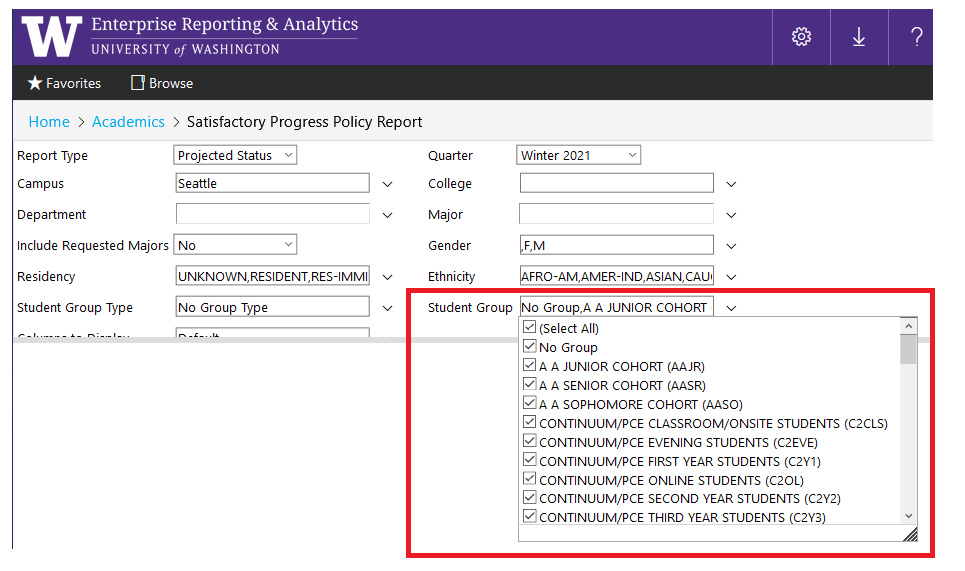
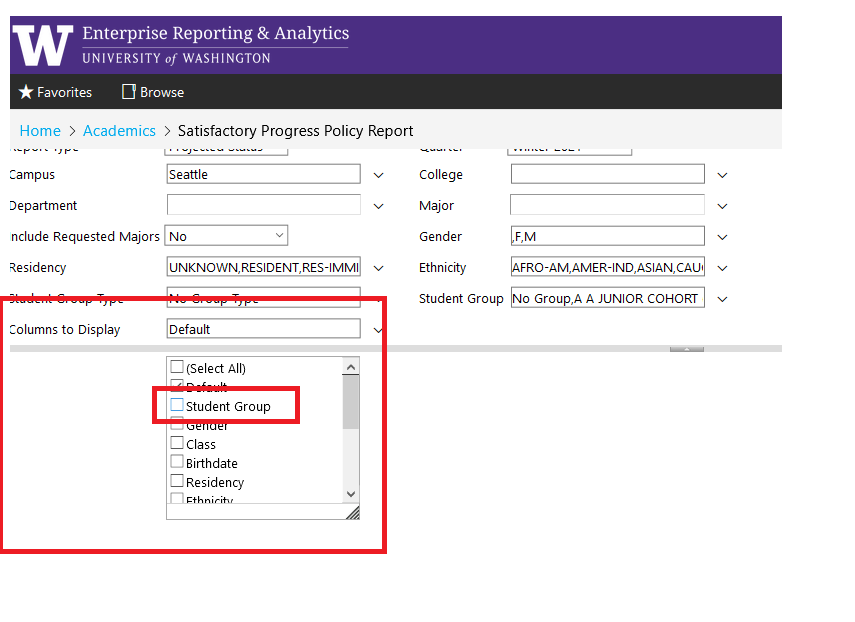
We updated Columns to Display filter to expose several degree attributes.

Columns to Display filter:

  • We added a new option to the “Columns to Display” filter called Degree Info
  • If you choose the Degree Info option, the report will include 4 new columns:
    • Degree Title: This column displays the full title associated with a student’s degree. For instance, “Doctor of Philosophy (Chemistry)”
    • Degree Status: This column displays the status of the student’s degree, either Applied or Granted. If the student has not applied for or been granted a degree, the report will display a blank.
    • Degree YrQtr: This column displays the academic quarter associated with the student’s degree (e.g. Spring 2020).
    • Degree Academic Yr: This column displays the academic year associated with the degree year/quarter. We provide the academic year value (e.g. 2019/2020) so that you don’t have to calculate/derive it from the Degree YrQtr field!

Please Note:

  • The report provides basic attributes of a student’s most recent degree. For more detailed student degree information, please continue to use the BI Portal report: Student Degree Information
  • The report displays one row per student per quarter per course. However, some students have multiple degrees over many years. If a student has more than one degree, the report only displays the most recent degree information.
    • For instance, if a student received a bachelors degree in Spring 2015, and has applied for a Masters degree in Spring 2021. The report will only display information about the applied-for Masters degree.
  • Graduate degrees are processed differently than undergraduate degrees. As a result, graduate advisers and other users who run the report for graduate student populations may not see “Applied” in the Degree Status column even though the graduate student has in fact applied to graduate.

Questions and Feedback:

This report references many UW institutional concepts, including Degree Status and Degree Year Quarter. To get detailed definitions for these and other terms, please check out Knowledge Navigator!

As always, if you have any questions, please write help@uw.edu and put “RPG: Class List Report/Degree Info” in the subject line.

RPG Release: New Filter and Fields on Major Codes

The Report Prioritization Group (RPG) just released new changes to the BI Portal report Major Codes.

Change Summary:

Based on feedback from the Graduate School and RPG, we updated the Major Codes filters and columns in the following ways:

Filter Updates

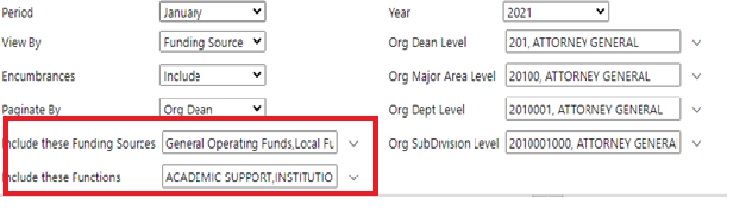
We added a new filter “Degree Level” to the report:

The new filter allows you to restrict the report dataset to only the degree levels you want to see, like Bachelor or Professional.

New Columns

We also added several new columns:

  • Degree Title:
    • This column displays the full title for the Degree associated with the Major.
  • Funding Type:
    • This column displays the program’s funding type, either Tuition Based, Continuum College Fee Based, or Department Fee Based.
  • Online Only:
    • This column displays a “Yes” if a Degree Program is online only. An online only degree program does not require a student’s physical presence on campus or other physical location.

Questions?

This report references important institutional concepts like Student Major, Fee Based, Tuition Based and many others. If you have questions about the meaning of these or any other terms, please explore the links or find more detail in the Knowledge Navigator.

As always, if you have any questions, please write help@uw.edu and put “BI Portal Report Question: Major Codes Report” in the subject line.

EDW Customer Survey: The Results Are In

If you participated in the EDW’s Customer Survey, thank you! Understanding how you use the EDW helps us improve our services and enhances our ability to support you now and in the future.

Over One Million
You queried the EDW over one million times from August 2019 to August 2020.

By Popular Demand
By far, the type of data you want most is Finance (75%), HR/Payroll (62%) and Academic (54%). Among the variety of databases that you access, the top three are ODS, UWSDBData, and FinancialSumMart.

Roles and Responsibilities
At least half of you have multiple roles in your department and we know you have added responsibilities as a result. Data accessibility is vital to your work. Half of you access the EDW for data every day. With 36 distinct organizations accessing the EDW, the data you need is varied and unique to the work you need to do.

Finance Transformation
Finance Transformation and what it means for your work is top of mind for you. Many of you are keeping up to date on the changes to data that you access daily. And you’re aware that the way you work may need to change in the future.

Want More Survey Details?
To see more information, including a presentation deck and full results from the EDW Customer Survey, click the link below.

LEARN MORE

Stay in the Loop
You can find the latest news and updates for the EDW and Finance Transformation through the link below.

UW FT

Hear About EDW and FT at the next UW Tableau User Group
Dawn Hemminger, Enterprise Data Platform Product Manager, UW-IT: IM, will be discussing the EDW and FT during the upcoming meeting for the Tableau User Group.

  • Monday, January 25
  • 11am to noon

Register for  UW Tableau User Group Event

Have a question or need help?
Some change will come with Finance Transformation and how you access data may be impacted. We’re here to help. Contact us at help@uw.edu with EDW Customer Survey in the subject line.

*data sourced from EDW access logs August 2019 through August 2020

SWS and PWS Release: Support for Pronouns

Pronouns are now editable in Identity.UW. 

Pronouns are now available in your MyUW profile and in MyUW Class Lists.

During the 2020-2021 academic year, UW will introduce a central pronoun option to enable students and other members of the UW community to express what pronouns they go by in their everyday lives.

Identity.UW will be central to this implementation by enabling the collection and distribution of pronoun data. Person Web Service (PWS) and Student Web Service (SWS) will be providing pronoun data from Identity.UW for campus systems to consume.

Change Details

Although pronoun support in Identity.UW is not available in production yet, we have deployed the capability to support pronoun data in SWS and PWS in both EVAL and Production environments so that you can evaluate integrating pronouns support into your own system(s) if you choose.

Support

For more information on the UW-IT Pronouns implementation and campus-wide rollout, we encourage you to learn more at: https://it.uw.edu/connect/identity/pronouns.

Learn more about integrating pronouns into your own tool(s) via an Enterprise Web Service at https://it.uw.edu/connect/identity/integrate-pronouns-from-identity-uw.

For PWS,  please contact us at pws-support@uw.edu

For SWS,  please contact us at sws-support@uw.edu